

Hi there,
If you want to build Salesforce applications faster, smarter, and with more confidence, Agentforce Vibes is a game-changing AI development environment you’ll want to explore. While there are two ways to access Vibes — directly from the gear icon in Salesforce or via the VS Code extension — the most accessible method right now is through VS Code. With the extension, you can enable the MCP server and start hands-on development immediately, with AI guidance to boost your productivity.
In this blog, let’s explore:
- What Agentforce Vibes is
- How to install and enable the MCP server in VS Code
- Key features of Agentforce Vibes
- A hands-on demo creating an LWC component
What Is Agentforce Vibes
Agentforce Vibes is an AI-powered Salesforce development IDE and VS Code extension that brings intelligence to your coding workflow. It offers smart code suggestions, metadata insights, and automated generation of Apex classes, Lightning Web Components (LWCs), triggers, and more. With the MCP server, Vibes understands your project structure in real time, delivering accurate, context-aware recommendations that help you code faster and with confidence.
Installing Agentforce Vibes and Enabling MCP Server in VS Code
Installation Steps
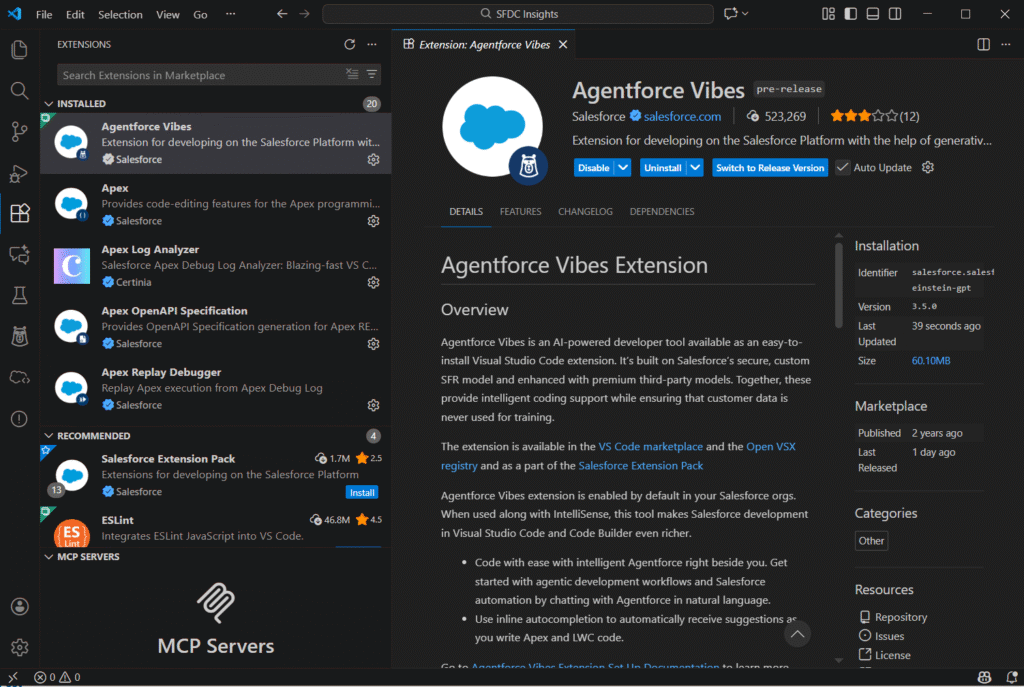
- Open VS Code.
- Go to Extensions (Ctrl + Shift + X).
- Search for Agentforce Vibes.
- Click Install and reload VS Code if needed.
Enabling MCP Server
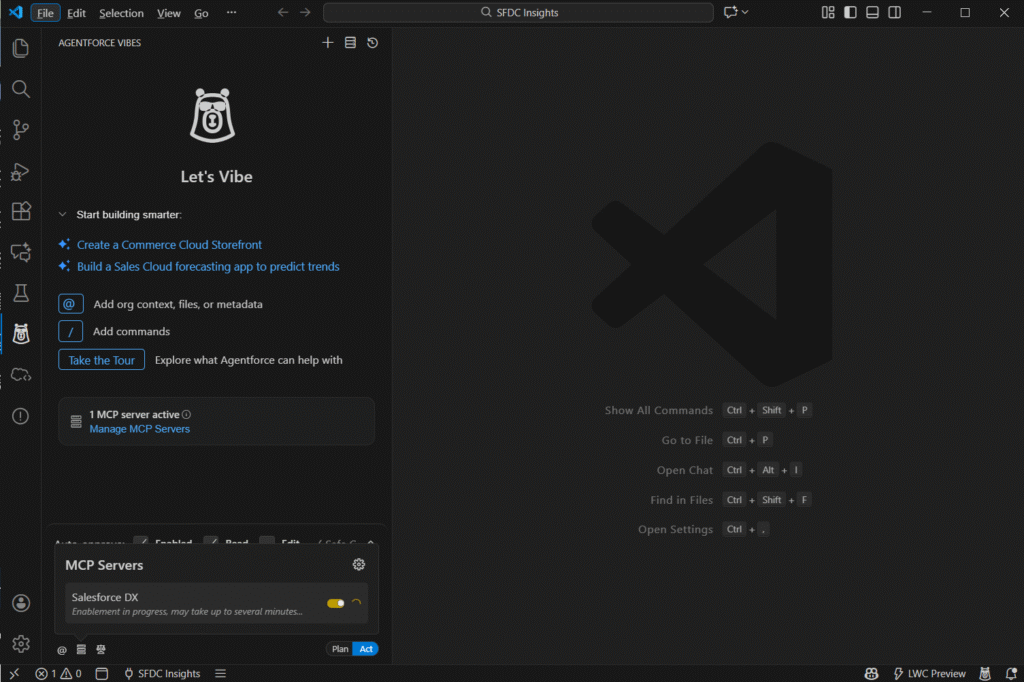
- After installation, click the Agentforce Vibes icon in the sidebar.
- Enable the MCP server from the panel settings.
- The MCP server reads your project files, allowing AI to provide precise, context-aware suggestions.
Key Features of Agentforce Vibes
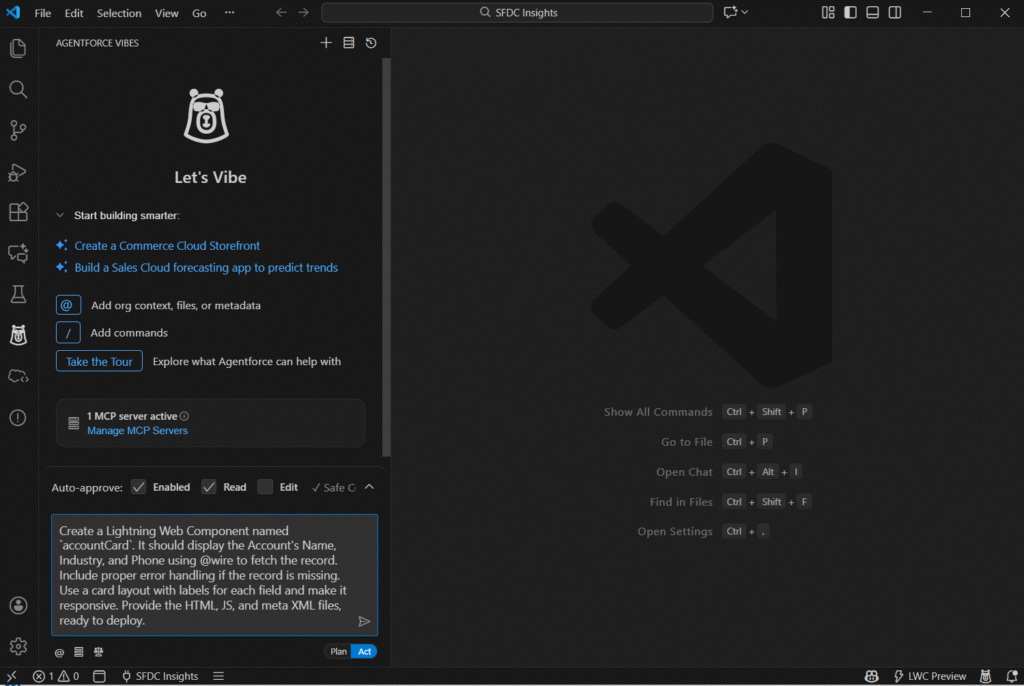
Plan vs Act Toggle
Each prompt has a Plan / Act toggle:
- Plan: Shows the step-by-step plan before executing, helping you understand the reasoning.
- Act: Executes the prompt immediately, generating code or output directly.
MCP Server Integration
- Reads your project files in real time
- Understands Apex, LWC, Triggers, SOQL, Flows, and metadata
- Provides context-aware code suggestions
- Helps debug errors and deployment issues
AI Code Generation and Assistance
- Generate Apex classes, LWCs, triggers, or utility classes
- Fix code issues automatically
- Ask Salesforce-specific questions and get explanations
- Produce documentation or templates for emails, flows, and metadata
Hands-On Demo: Generate an LWC Using Agentforce Vibes in VS Code
Step 1: Open Agentforce Vibes
Click on the Agentforce Vibes icon in the VS Code sidebar or open the Command Palette and type Agentforce Vibes: Focus on View to launch the extension.
Step 2: Write Your Prompt
Example:
Create a Lightning Web Component named `accountCard`. It should display the Account's Name, Industry, and Phone using @wire to fetch the record. Include proper error handling if the record is missing. Use a card layout with labels for each field and make it responsive. Provide the HTML, JS, and meta XML files, ready to deploy.Step 3: Use Plan / Act Toggle
- Plan: Vibes explains what it will generate step-by-step.
- Act: Vibes immediately generates the component files.
Step 4: Generated Output
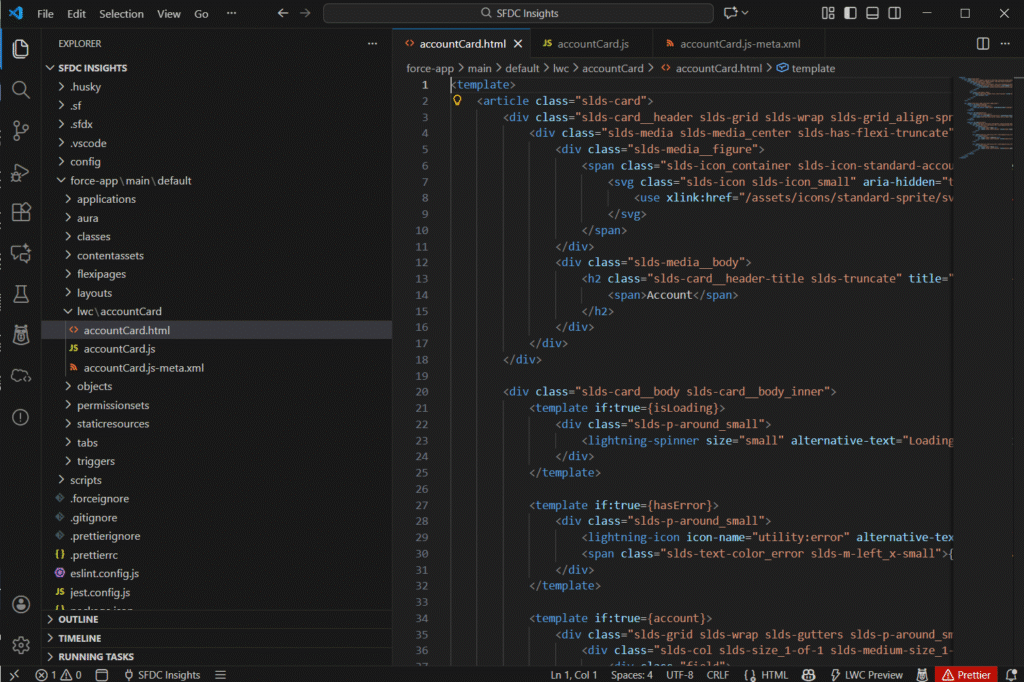
accountCard.htmlaccountCard.jsaccountCard.js-meta.xml
Review the generated files and deploy to Salesforce. The MCP server ensures the AI output aligns perfectly with your project context.
Final Thoughts
Agentforce Vibes in VS Code with the MCP server is a powerful AI assistant for Salesforce Developers. It helps you:
- Write faster and cleaner code
- Understand your project deeply
- Debug issues with AI guidance
- Generate components and classes automatically
By starting with the VS Code extension and MCP server, you can immediately supercharge your Salesforce development workflow and experience the benefits of intelligent, context-aware coding.
For Salesforce Developers aiming to stay ahead, Agentforce Vibes is an essential tool in your toolkit.
Want to take your Salesforce development to the next level? Try Agentforce Vibes in VS Code and experience AI-powered coding like never before. For more practical tips and hands-on demos, explore SFDC Insights and stay ahead in your Salesforce journey!